
ChannelReply now integrates with Re:amaze! ChannelReply allows you to manage your Amazon, eBay, and Walmart customer messages in one place. If you’re also using Re:amaze, ChannelReply can deliver messages between your marketplace accounts to your Re:amaze shared inbox.
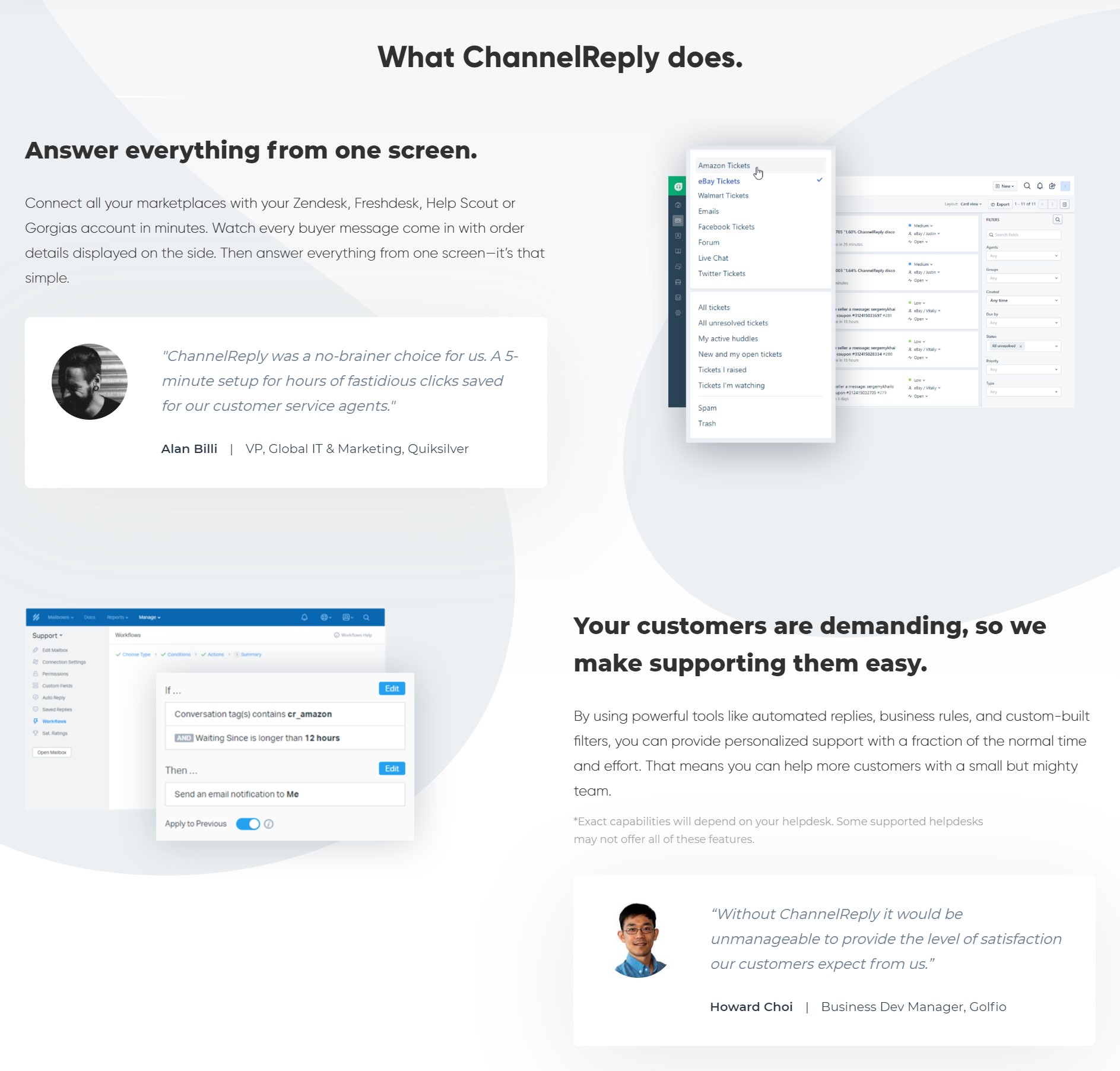
Why ChannelReply?
Managing customer messages is already a huge pain for businesses. Everything from emails to live chat to Facebook comments, from Instagram comments to Twitter DMs, and from SMS to phone calls. Add in more customer messages from unique marketplaces like Amazon, Walmart, and eBay and the burden is even more difficult to carry.
ChannelReply’s main expertise is consolidation of marketplace messages into a helpdesk and customer messaging platform you already use. One such helpdesk platform is Re:amaze which already helps businesses manage so many communications channels
ChannelReply offers a pain-free, turnkey solution to enable you and your team to use the full range of Re:amaze features such as automation workflows, response templates, FAQ linking, and even custom chatbots to engage with your marketplace conversations!
Use ChannelReply to:
- Answer eBay, Amazon and Walmart messages in Re:amaze.
- See each conversation as a single threaded ticket—no more searching archives for the buyer’s last message!
- Use marketplace data in all your favorite Re:amaze tools, including response templates and workflows.
- Take actions on eBay, Amazon and Walmart without leaving Re:amaze.
What you can do with ChannelReply
Customer Data
When you open an Amazon, eBay or Walmart ticket, ChannelReply will show important customer data next to the message such as who the buyer is, what they ordered, their shipping details, etc.

For example, here’s an eBay ticket shown in Re:amaze through ChannelReply. No need to log in to your marketplace accounts and find out what the buyer ordered. No need to dig through old messages and order records. The whole conversation and all the related data will appear on one simple screen.
Data Control
ChannelReply is also much more than a message delivery system. It transforms Re:amaze into your marketplace command center.
- Manage your eBay inquiries, cases and returns with Resolution Center Support.
- Mark Amazon messages as no response needed, or even as suspicious!
- Acknowledge or cancel orders, update shipping statuses and approve refunds on Walmart tickets.

Custom Fields / Dynamic Variables
Re:amaze’s integration with ChannelReply also supports dynamic variables. See ChannelReply’s tutorial on how to set this up here or watch the video below:
Workflow Automation
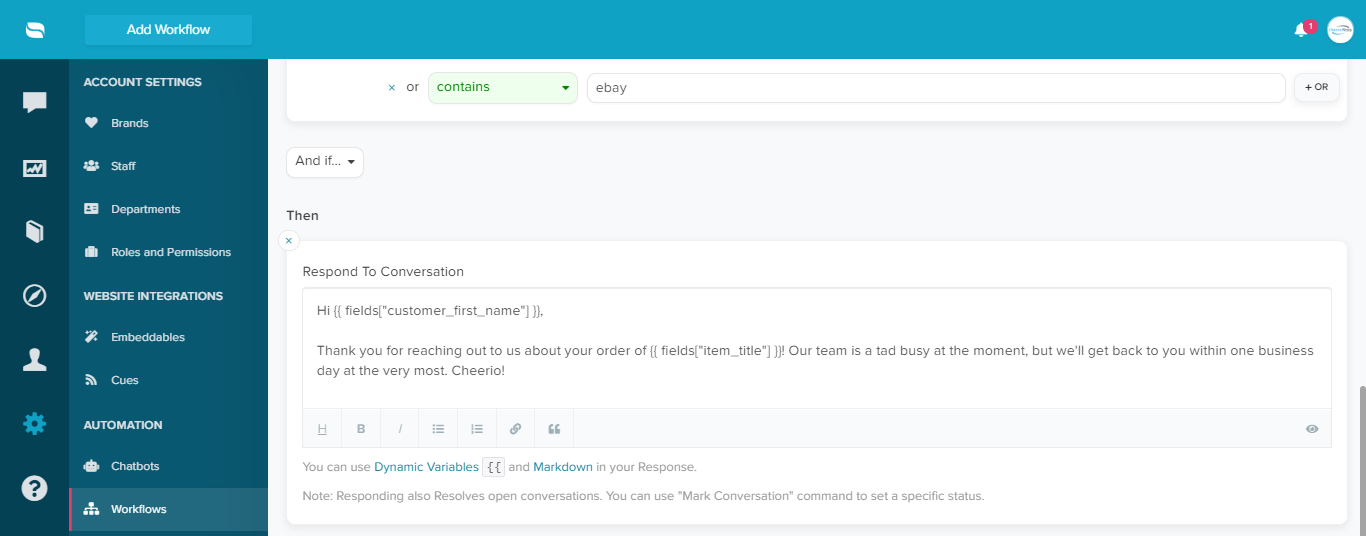
Create automatic responses to Amazon, eBay and Walmart customers with using workflow automation. Being able to use dynamic variables means that your replies can be personalized as well.
Automatically replying to customers through workflows do count toward Amazon’s 24-hour response time SLA. It also marks eBay messages as read and answered.
Getting Started
To start using ChannelReply with Re:amaze, you’ll need to have active accounts on both platforms. In ChannelReply, start by going to your CRM settings and select “Choose Re:amaze”.

Follow the on-screen instructions provided by ChannelReply to complete the integration. You’ll need your Re:amaze subdomain name, your login email, your Re:amaze API token, and your Re:amaze shared SSO secret.

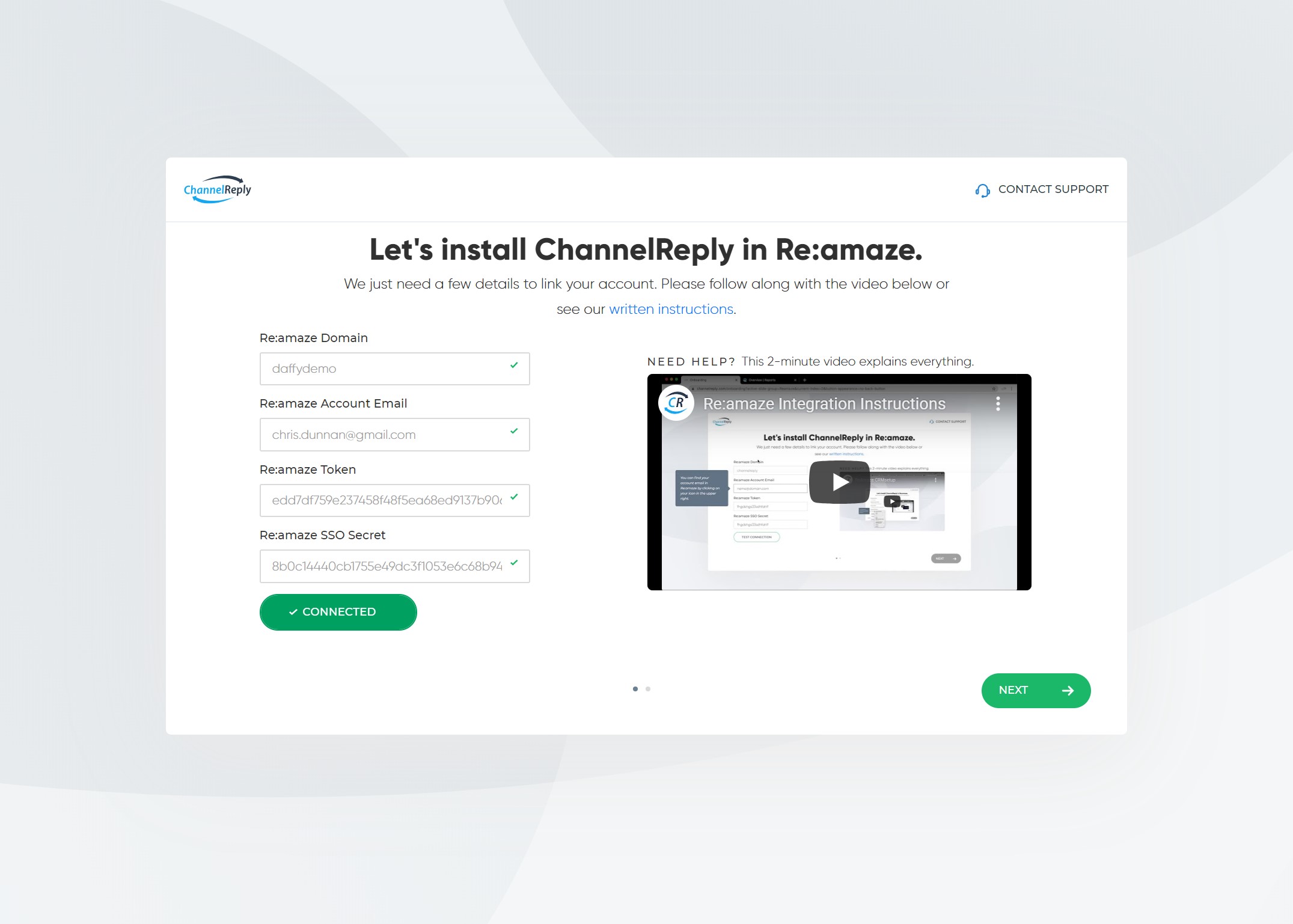
The most important step here is to copy and paste the URL ChannelReply provides at the end into the Custom Module field in your Re:amaze account:

Connecting a Marketplace to Re:amaze
If you don’t already have a marketplace connected in ChannelReply, your next step will be to do this. In this example, we’ll go ahead and use eBay. Don’t worry, ChannelReply makes it simple to follow along.
Start by going to Marketplaces in your ChannelReply account and you’ll be asked to select which Re:amaze channel you want to send your eBay (or Amazon or Walmart) messages to.

Next you’ll need to authenticate into your eBay account.


You’ll see this confirmation once you’ve completed the set up process!

Receiving and Responding to Marketplace Messages
Once everything is connected customer messages from marketplaces will now arrive in Re:amaze! Here’s an example:

To see a more detailed list of setup instructions please read ChannelReply’s article here. Here’s also a visual guide on how to set everything up:


![汐れいら (Reira Ushio) –ハレの日に (Hare no Hi ni) (2025-08-25) [FLAC 24bit/48kHz]](http://getimg.link/images/2025/09/02/420391.md.jpg)


